AI Score Report
Overview
The AI Score Report is what families see after a student finishes a practice exam. It tells the student what they did well, where they lost time, what they should study next, and how their score compares to the colleges they're aiming for.
The report includes a performance overview, a section-by-section breakdown of how they progressed through each module, a difficulty breakdown that highlights which questions cost them the most points, pacing insights that show whether they ran out of time, an AI-generated focus area roadmap, a filterable answer key, and a CTA to book a strategy session with an advisor. Reports work across SAT, PSAT, ACT, and every AP subject we offer, and they can be shared with a family member or counselor via magic link or as a PDF.
The Challenge
- AI-generated insights have to be based on what the student actually did on the exam. Hallucinations are unacceptable in a product that families use to make study decisions.
- A report that families want to come back to and share has to feel polished, fast, and readable on a phone, not like a dashboard built for analysts.
- We had to balance how much work the AI does against how much the application does itself. Letting the AI choose which focus areas matter most produced inconsistent results, so we moved that ranking into application logic and let the AI focus on writing, which made the output dramatically more reliable.
Motivation
- A practice exam is the moment a family is most engaged with us. The score report should be an interactive product, not an artifact.
- The report is also our most natural place to nudge a family toward a strategy session, they have a fresh score in front of them, they want to know what to do next, and we're immediately available and there to help.
Goals
- Make the score report something families want to open, share, and come back to.
- Drive measurable lift in strategy session bookings from the report itself.
- Ship one report product that works across every exam we offer.
Product Walkthrough
Performance Overview
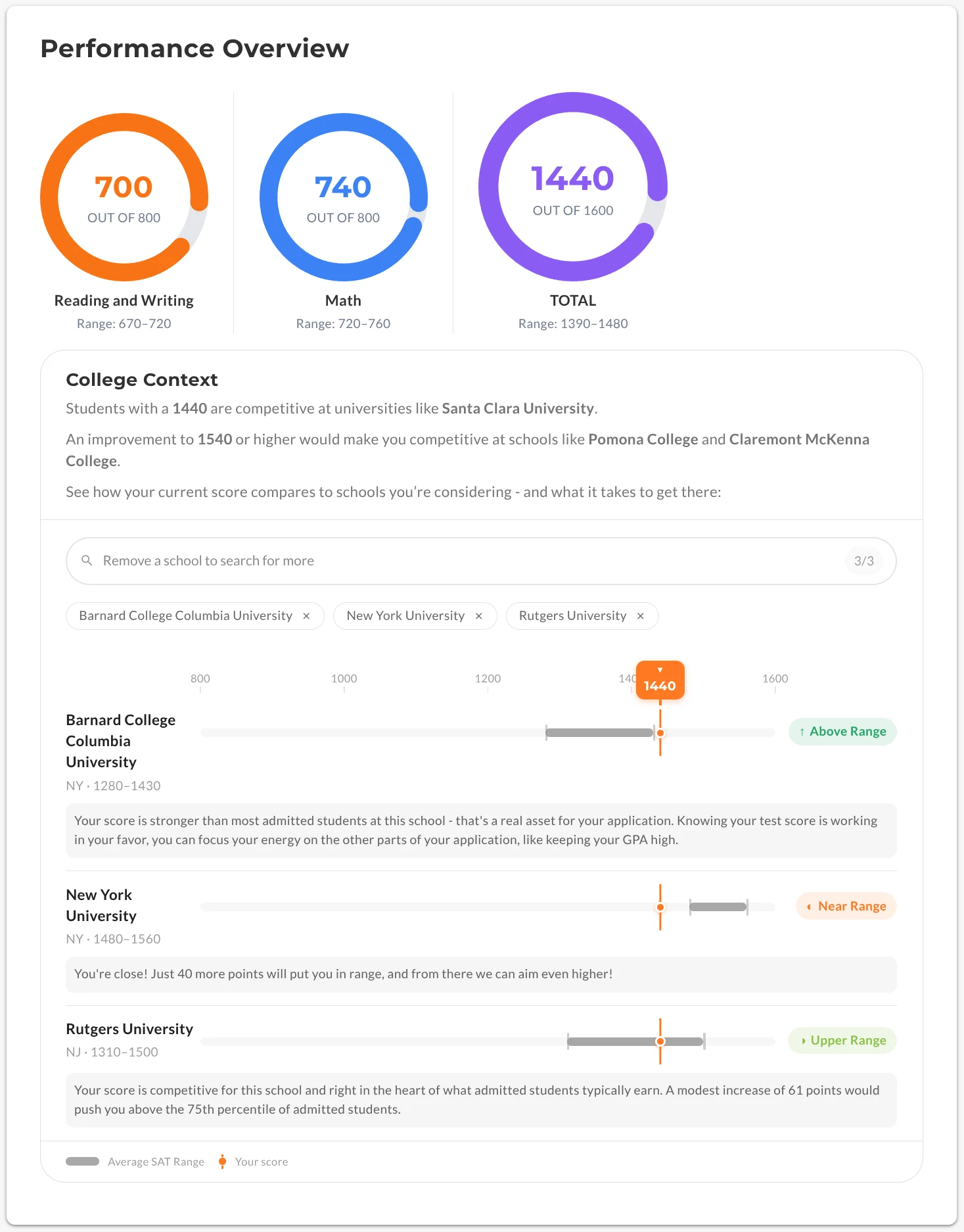
The report opens with a performance overview that renders the exam result at a glance, the student's score and how it stacks up against their target schools. It's the first thing a family sees, giving a quick snapshot of how the student performed.
Growth Opportunities
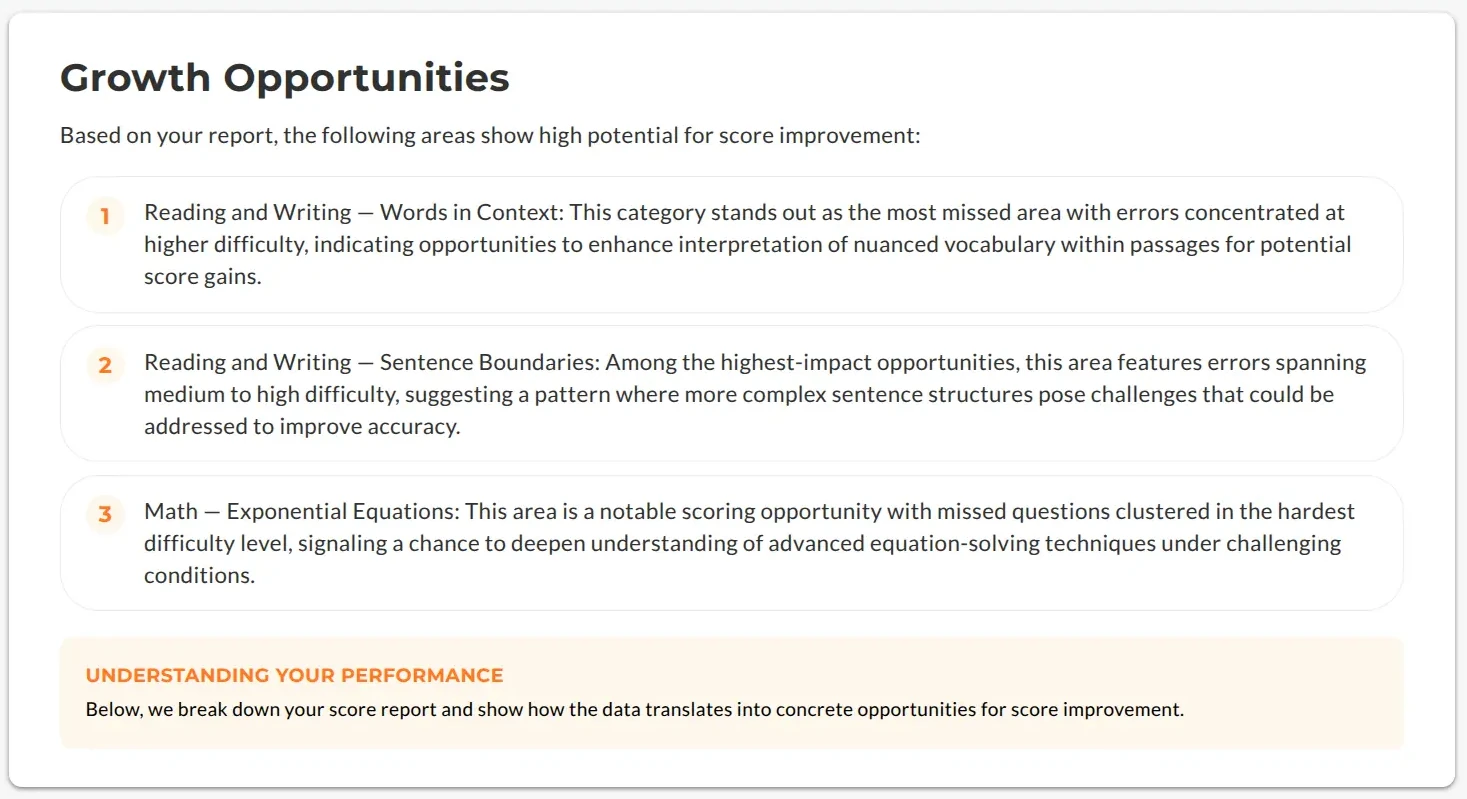
Below the overview is an AI-generated set of growth opportunities. Focus on these areas will move the score the most. The ranking of which areas matter most is handled in application logic from the student's actual answers, and the AI writes the explanation. This makes the guidance reliable and free of hallucinations.
Module Progression
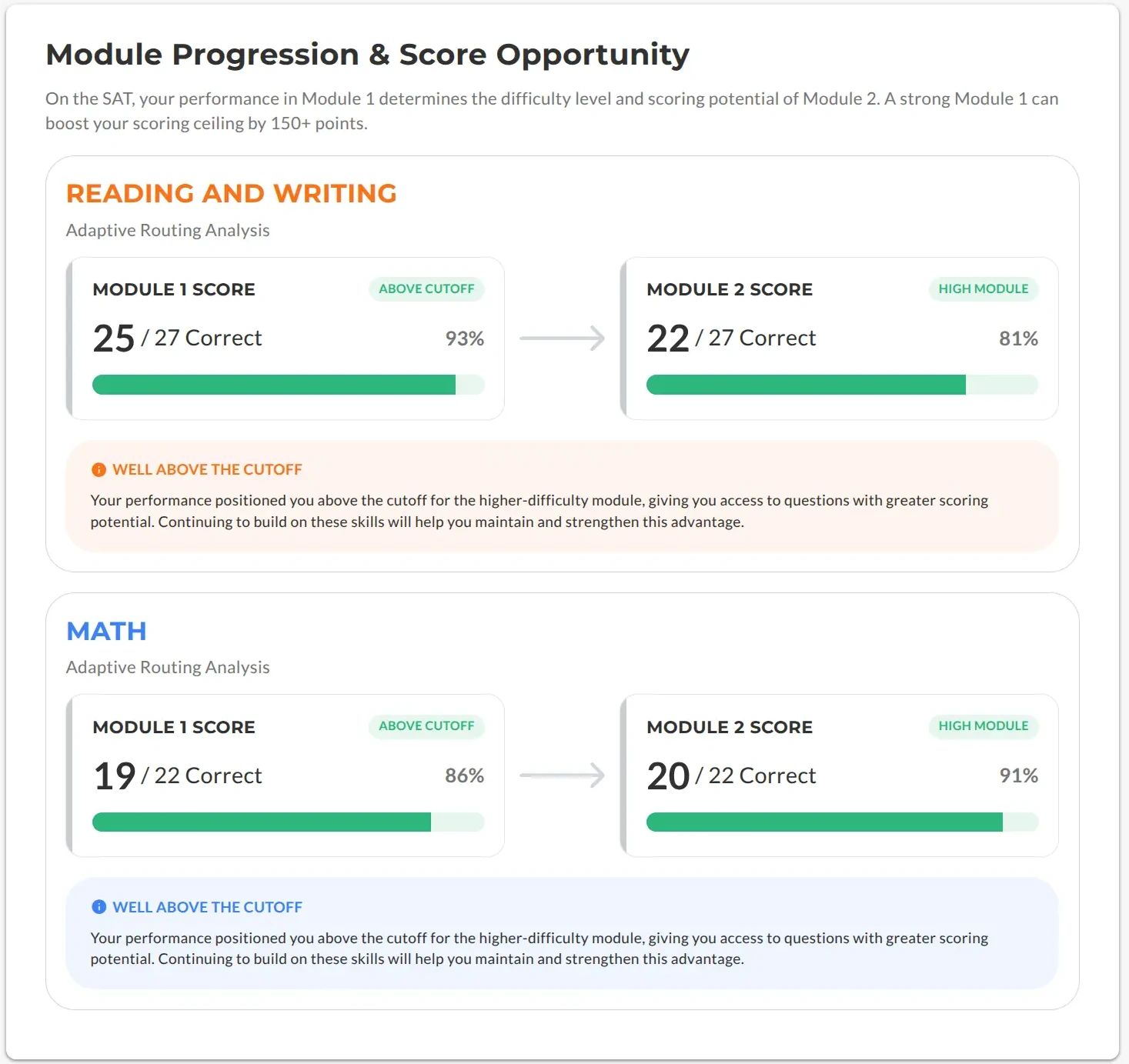
The module progression view breaks the exam down section by section and shows how the student moved through each module. Some exams have adaptive sections that change with the student's performance. In this component we show users whether they took the high or low modules.
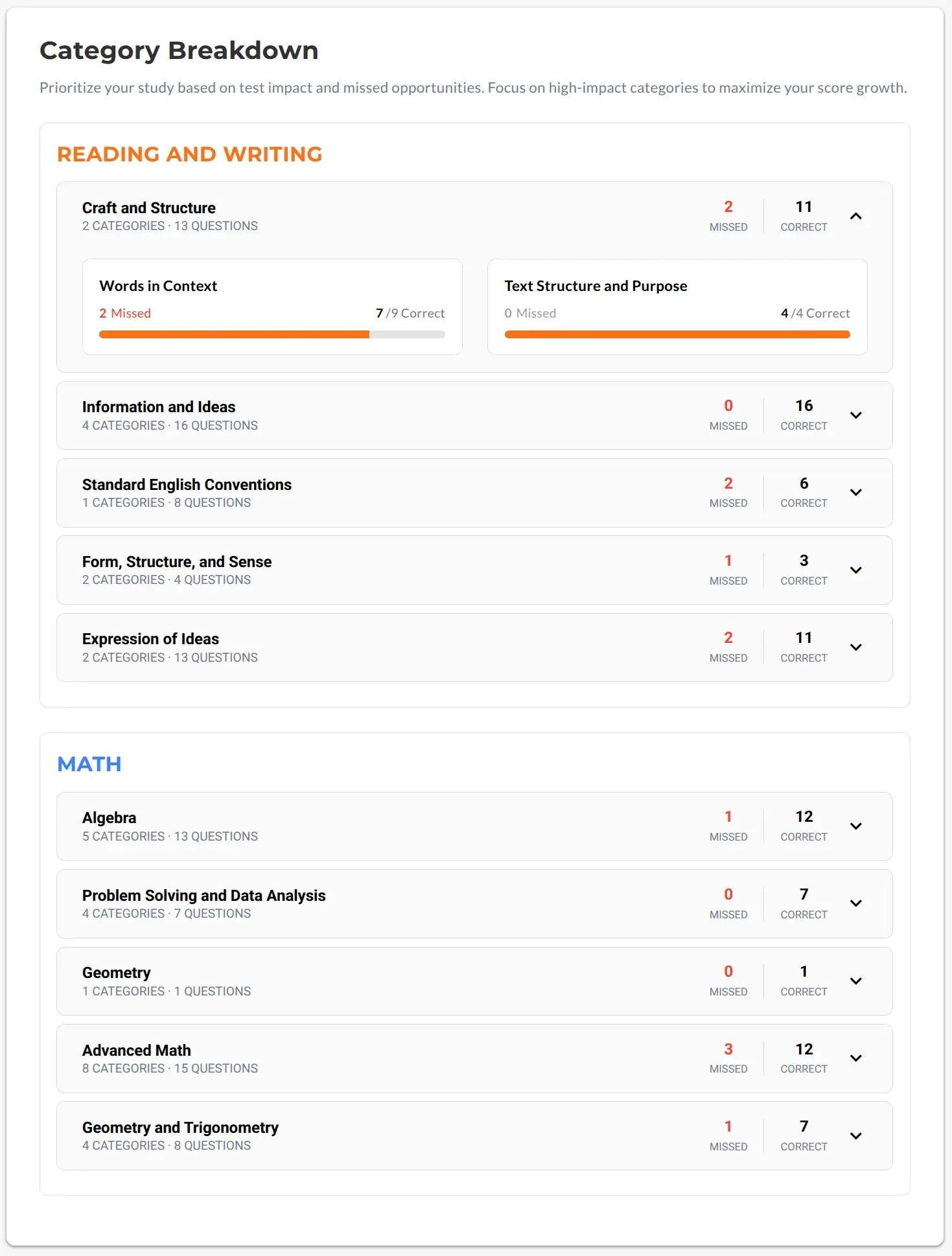
Category Breakdown
The category breakdown groups questions by skill and content area, so a student can see exactly which topics they've mastered and which ones are costing them points. This is what turns a single score into a study plan.
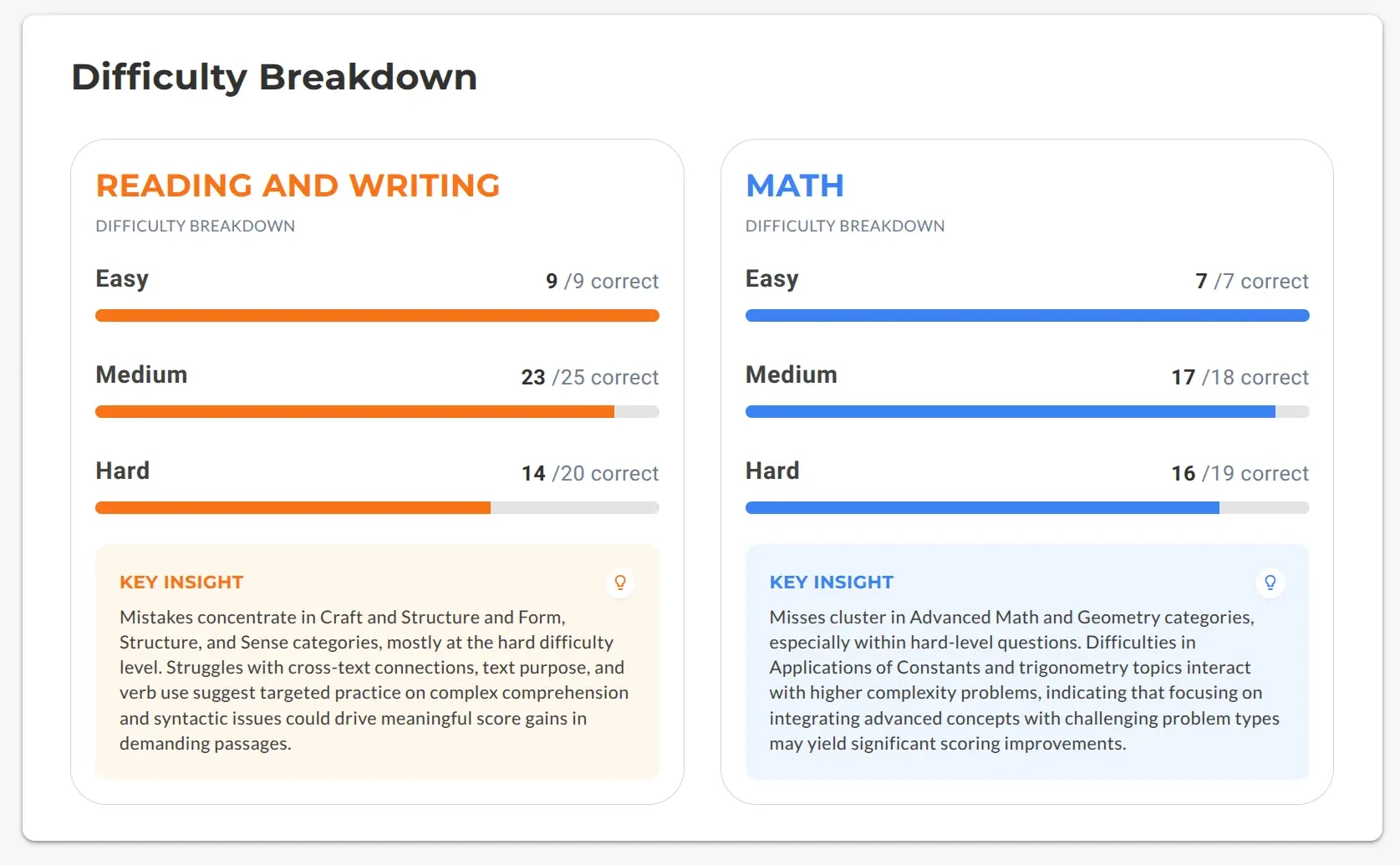
Difficulty Breakdown
The difficulty breakdown highlights how the student performed across easy, medium, and hard questions, exposing which questions cost them the most points. It's a quick way to tell whether a student is missing the fundamentals or just the hardest questions.
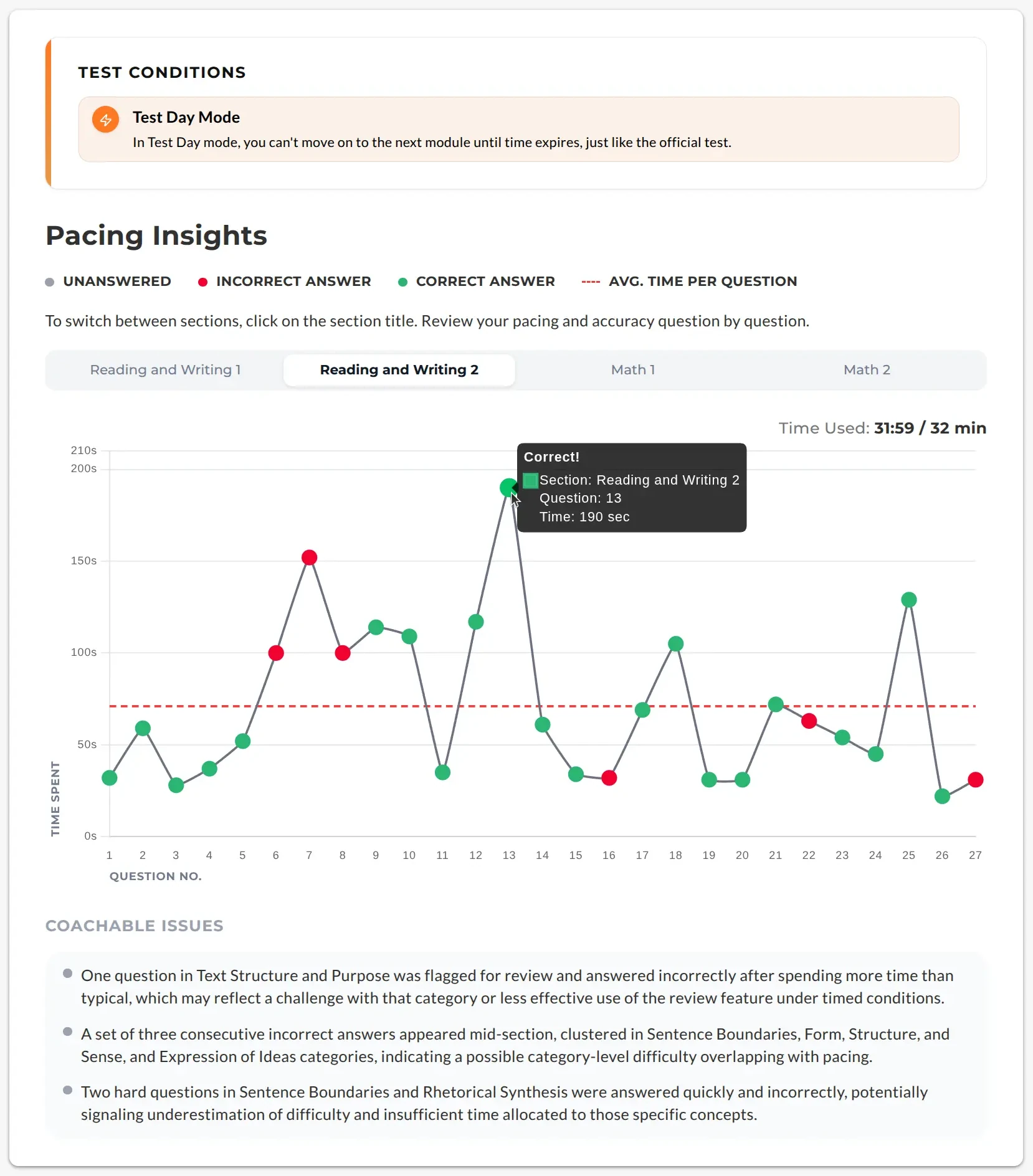
Pacing Insights
Pacing insights show whether the student ran out of time, rushed, or left questions unanswered.
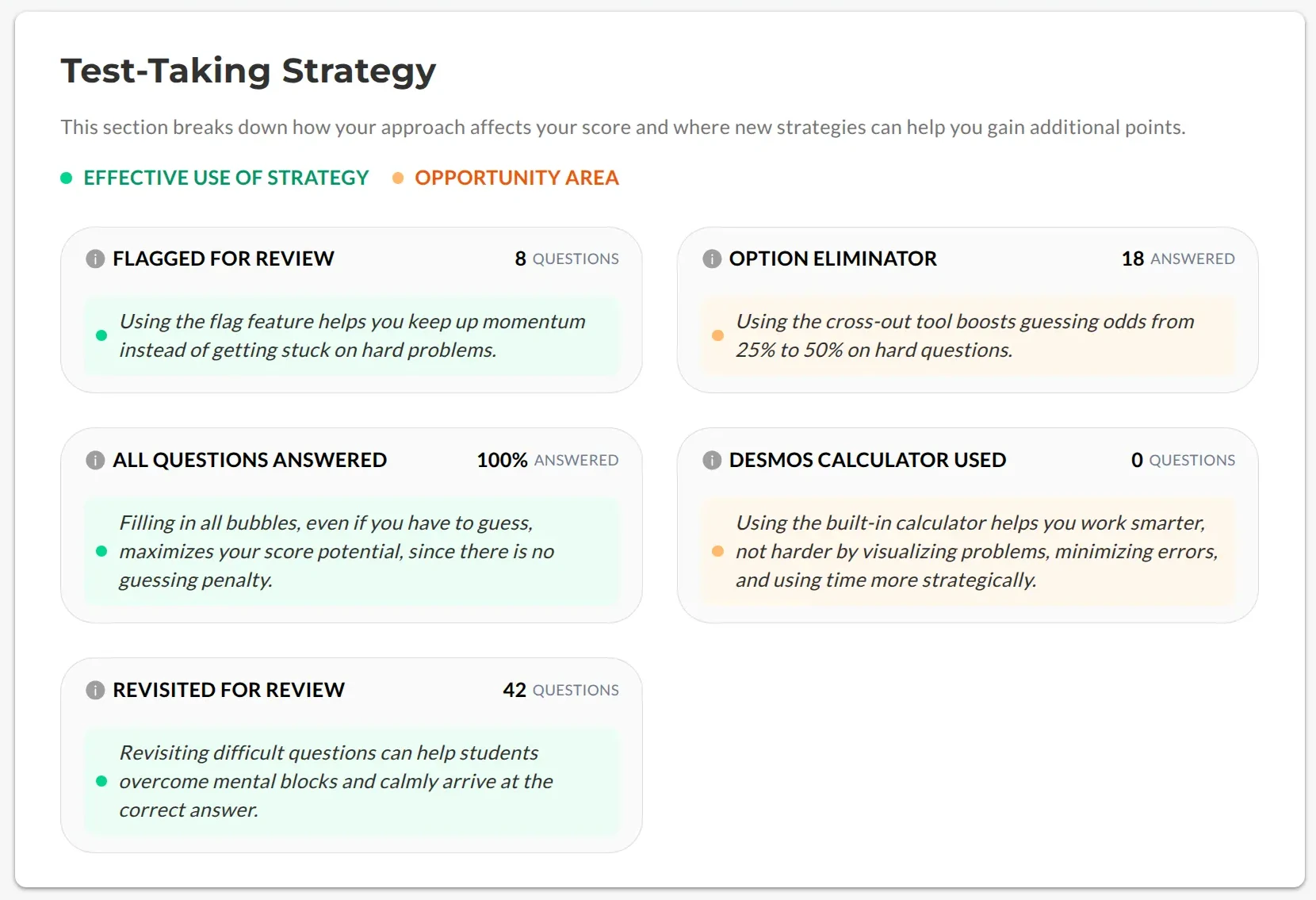
Test-Taking Strategy
The test-taking strategy section translates the pacing and difficulty data into concrete advice, how to triage questions, when to guess and move on, and how to spend time during a module. It's guidance, delivered the moment the exam ends.
Next Steps
Because some users like to download PDF's for easy sharing, we included a download button. The booking CTA is also included in this component.

Book a Consult
With a fresh score and a clear plan in front of them, the family is at their most engaged, so the report makes booking a strategy session with an advisor the natural next move. The CTA is woven into the report, this drives measurable lift in bookings from the report itself.

Answer Key
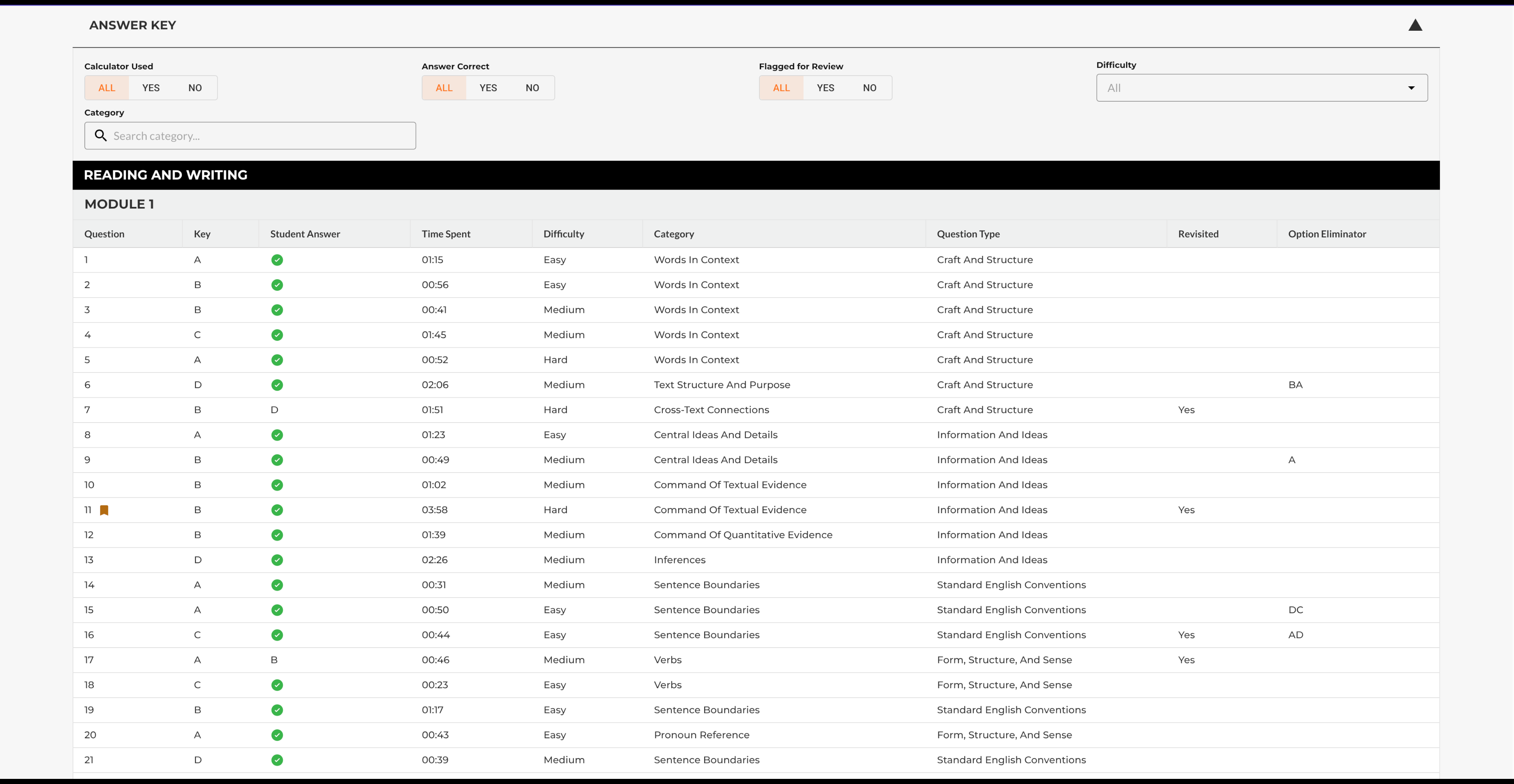
Finally, a filterable answer key lets students review the exam question by question, filtering by category, difficulty, or whether they got it right. It turns the report into a study tool they can come back to, not just a summary they read once.